AI character replacement

AI Character Swap

Swap the person in a video with anyone from a photo. The new character copies every move, expression and camera angle of the original clip.

  • No prompt needed
  • Keeps motion and camera
  • MP4 or MOV, 3–15 seconds
New character
Video
Or pick a character
Or try a sample video

30 credits per second of video

Your video will appear here

Add your files and press the button.

Made with this tool

Real Results From This Tool

Original video
New characterNew character
Result

Same moves, a different person

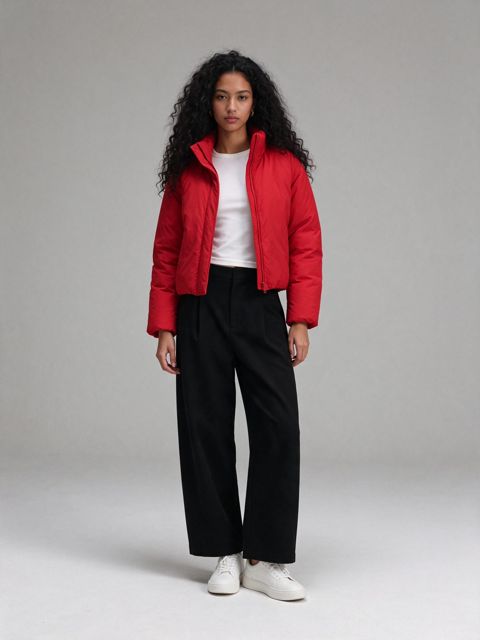
The dancer in the original clip is replaced by the woman from the photo. Her face, curly hair and red jacket come from the photo; every step and turn comes from the video.
Original video
New characterNew character
Result

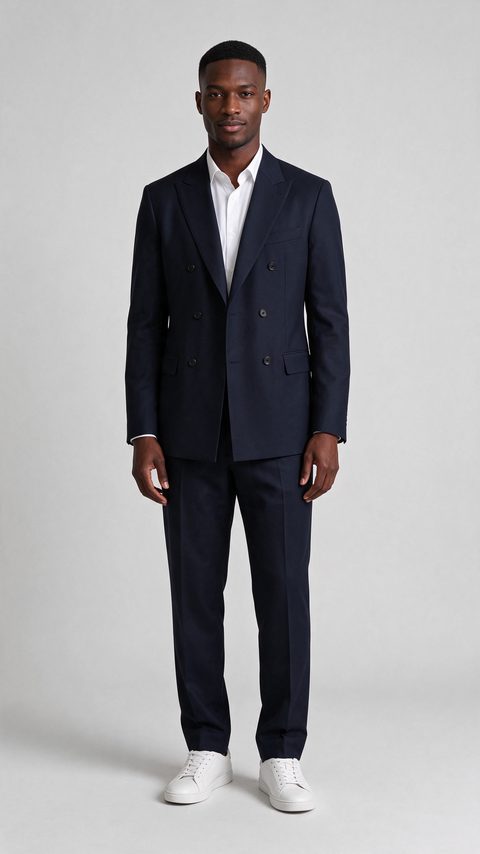
Same walk, a new model

A man in a grey hoodie walks down a concrete corridor. With the photo of the model, the walk, the stop and the hands-in-pockets pose stay the same, now in a navy double-breasted suit.
Original video
New characterNew character
Result

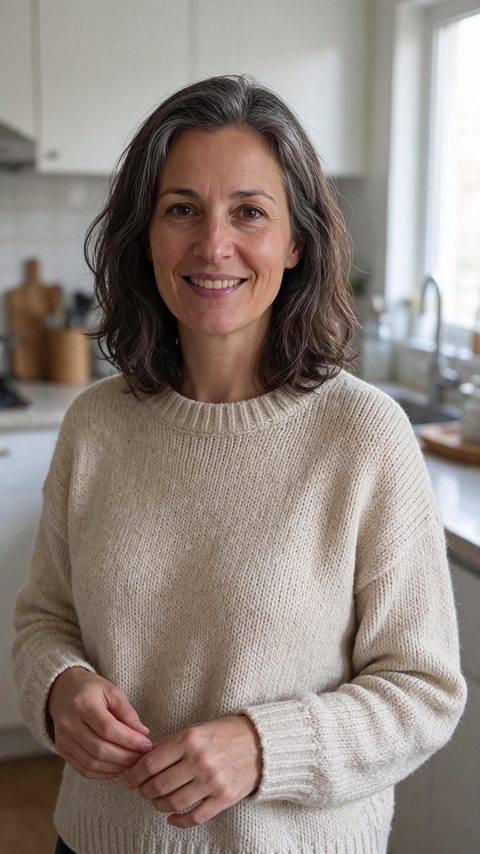
Same script, a new presenter

A young creator talks to the camera in her kitchen. The presenter from the photo takes her place with the same words, gestures and kitchen, so one recording can speak to a different audience.
Original video
New characterNew character
Result

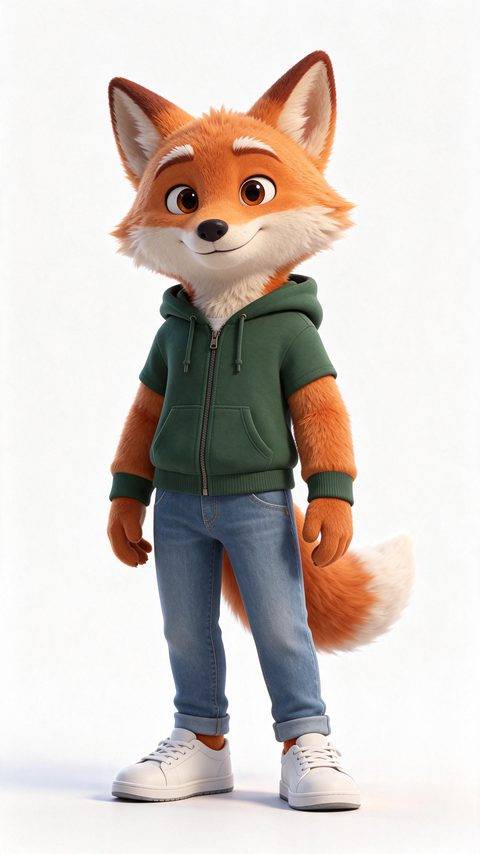
Bring a mascot to life

A man does simple side steps in his living room. Swap in a 3D fox character and the mascot dances the same steps in the same room, tail and all.
Original video
New characterNew character
Result

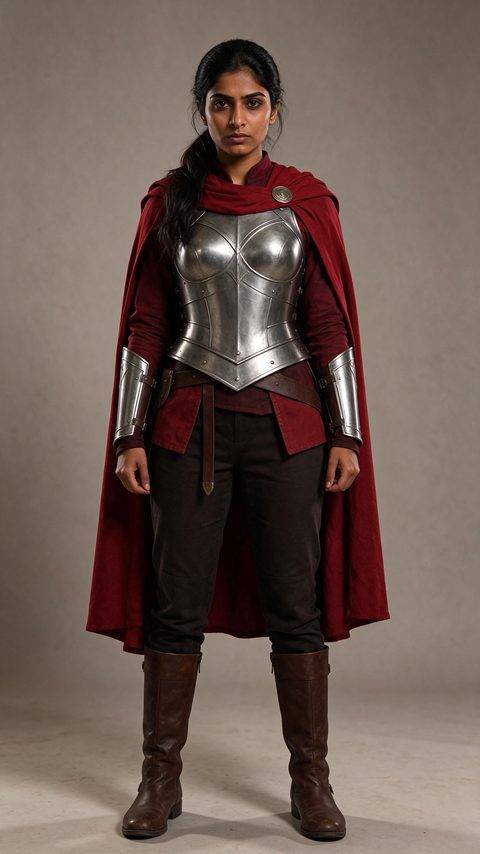
See the costume in motion

A woman practises a slow martial-arts routine in a park. Swap in the cosplayer from the photo and the armour and red cape move with every punch, kick and turn.
Original video
New characterNew character
Result

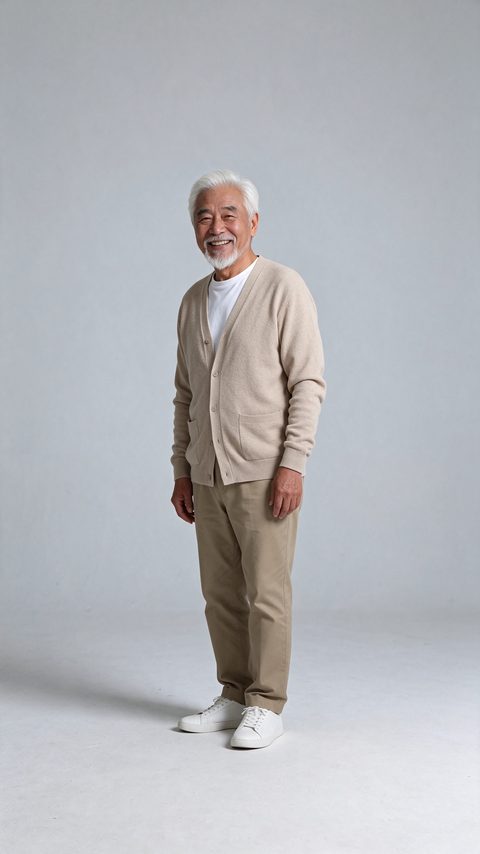
Anyone can do the trend

A young man does a trending dance in a studio. The grandfather from the photo takes over, step for step and bounce for bounce.

The first example was made with this tool, unedited. The other examples were made with a different AI video model to show more uses, so your results may look different. The people in the demo clips and photos were generated with AI.

Three steps

How It Works

  1. 1

    Upload the new character

    A photo of the person or character you want in the video. A full-body photo with a clear face works best.

  2. 2

    Upload the video

    A 3 to 15 second clip with one person filmed in a single continuous shot, without cuts.

  3. 3

    Get the swapped video

    The AI replaces the person and keeps the original motion, expressions, camera movement and background.

Ideas

What You Can Make With Character Swap

Star in a trend

Take a dance, a walk or a skit you like and put yourself in it, move for move.

Bring a character to life

Animate a game character, mascot or illustrated hero by mapping it onto real footage.

Swap the model in a fashion clip

Show the same runway walk or lookbook clip with a different model.

Cosplay previews

See how a costume would move before you build it, using any clip as the reference.

Ad and UGC variations

Recast one product video with different presenters to test which one your audience likes.

Body swap and head swap clips

Make playful body swap videos with friends who agreed to be in them.

Get it right the first time

Tips for the Best Result

Works best

  • A video with exactly one person, filmed in one continuous shot.
  • The person in the video is large in the frame and facing the camera at least part of the time.
  • A character photo with an evenly lit, unobstructed face.
  • A character photo framed like the video: full body for full-body clips.

Avoid

  • Clips with cuts, scene changes or long stretches without a person.
  • Two or more people in the frame, or a person seen only from behind.
  • A person who is tiny, cut off by the edge or hidden behind objects.
  • Photos of people who have not agreed, public figures or anyone under 18.

Use character swap responsibly. Only use people who have given you permission, and do not make videos that impersonate real people, involve minors, or are sexual, defamatory or misleading. Accounts that break our Terms of Service can be suspended.

More video tools

Edit Your Videos With AI

AI Character Swap FAQ

What is AI character swap?
Character swap replaces the whole person in a video (face, hair, body and clothes) with the person or character from your photo. The new character copies the original movement frame by frame, so it looks like they were filmed doing it.
Is character swap the same as face swap?
No. A face swap only changes the face and keeps the original body, hair and outfit. Character swap replaces the whole person, so the new character keeps their own face, hair and clothes from your photo while copying the original movement.
Do I need to write a prompt?
No. Upload a photo and a video and press the button. The AI works out the motion and the new appearance by itself.
How much does it cost?
30 credits per second of video, so a 5-second clip costs 150 credits and a 10-second clip costs 300. The price for your clip is shown before you start. If the swap fails, the credits are refunded automatically.
Why did my video fail?
The video must show one person in a single continuous shot. Videos with cuts, several people, a person seen from behind or a person who is very small in the frame often fail because the AI cannot find one person to replace. Trim the clip to a single shot and try again.
How long does it take?
Usually 2 to 5 minutes, and up to an hour when it is busy. You can close the page while you wait: when the video is ready it is saved to your history, and if it fails your credits are refunded automatically.
Is AI character swap the same as Wan Animate?
This tool runs on the Wan 2.2 Animate character replacement model, so it does the same kind of swap without installing ComfyUI or renting a GPU.